Why Learning How to Use a PPM Calculator Properly Matters
Whether you’re testing drinking water, preparing a chemical solution, analyzing soil nutrients, or monitoring air quality, accurate ppm calculation is essential. A small mistake in unit conversion or misunderstanding parts per million can lead to:
- Incorrect chemical dosing
- Regulatory non-compliance
- Process inefficiency
- Environmental risk
- Financial losses
This is why understanding how to use a PPM calculator correctly is not just helpful—it’s critical.
Many beginners (and even professionals) confuse:
- PPM by mass vs PPM by volume
- ppm vs mg/L
- Dilution factors
- Density corrections
This comprehensive guide explains how to use a PPM calculator step-by-step, highlights common errors, and provides real-world examples across industries.
What Is PPM? A Quick Technical Refresher
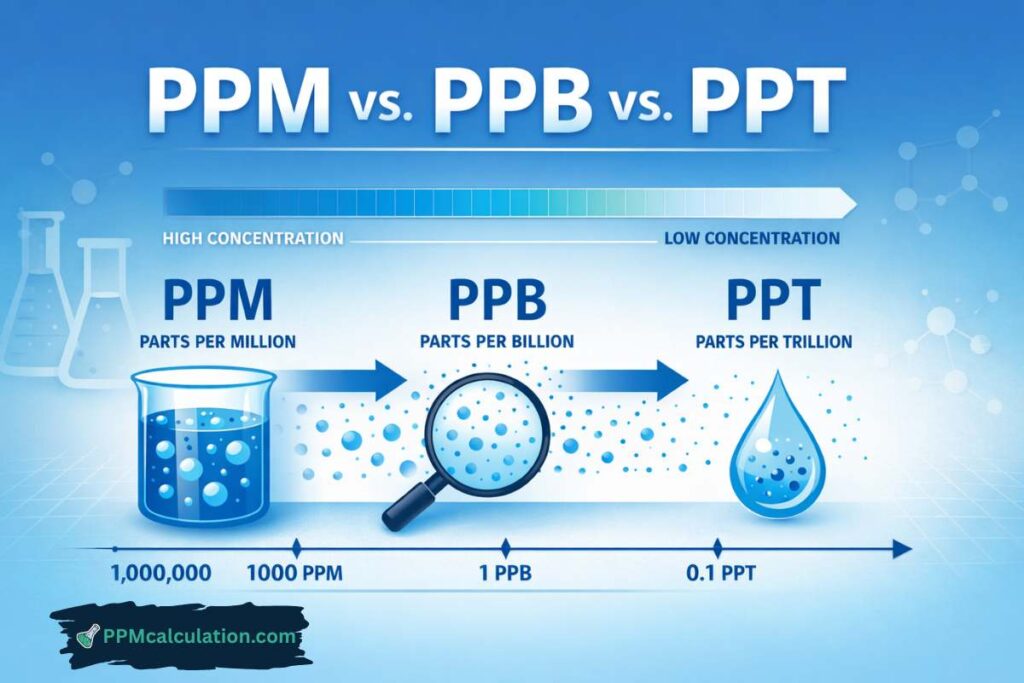
Parts per million (ppm) expresses the concentration of one component in one million parts of a mixture.
Standard PPM Formula
PPM = (Mass of solute / Mass of solution) × 1,000,000
In water:
1 ppm ≈ 1 mg/L
This equivalence works because 1 liter of water weighs approximately 1 kilogram.
When Should You Use a PPM Calculator?
A PPM calculator is useful for:
✔ Water quality testing
✔ Soil analysis
✔ Chemical solution preparation
✔ Air quality conversion
✔ Dilution calculations
✔ Industrial process control
It simplifies manual math and reduces human error.
Step-by-Step Guide: How to Use a PPM Calculator Correctly
Step 1: Identify the Type of Measurement
Before entering values, determine:
- Is the system liquid, gas, or solid?
- Are you using mass or volume units?
- Is density required?
Visual Explanation
Imagine three containers:
1️⃣ A beaker of water → ppm by mass
2️⃣ A tank of gas → ppm by volume
3️⃣ A bag of soil → ppm by mass
The context determines how the calculator should be used.
Step 2: Gather Correct Input Data
You typically need:
- Mass of solute (mg, g, kg)
- Volume or mass of solution
- Density (if required)
- Dilution factor (if applicable)
Entering incomplete data leads to inaccurate results.
Step 3: Enter Units Carefully
Common inputs include:
- mg
- g
- kg
- L
- mL
A mismatch (e.g., mixing grams with liters without conversion) is a frequent beginner error.
Step 4: Apply Density (If Necessary)
For water:
1 ppm = 1 mg/L
For other liquids:
PPM = mg/L ÷ density (kg/L)
Ignoring density causes significant deviations.
Step 5: Verify the Output
Always check:
- Are units correct?
- Does the result make sense logically?
- Does it align with expected concentration ranges?
Calculation Walkthrough Examples
Example 1: Preparing a 10 ppm Solution
Given:
You need 10 ppm of copper in 2 liters of water.
Step 1: Use formula
Required mass = ppm × volume
= 10 mg/L × 2 L
= 20 mg
You must dissolve 20 mg of copper.
Example 2: Converting mg/L to PPM
Measured nitrate = 8 mg/L
Since water density ≈ 1 kg/L:
8 mg/L = 8 ppm
This is a common ppm example in water testing.
Example 3: Gas Conversion (PPM by Volume to mg/m³)
Measured CO = 50 ppm
Molecular weight = 28 g/mol
At 25°C:
mg/m³ = (ppm × MW) / 24.45
= (50 × 28) / 24.45
= 57.27 mg/m³
A proper calculator simplifies this process.
Comparison Table: Manual Calculation vs PPM Calculator
| Factor | Manual Method | PPM Calculator |
|---|---|---|
| Speed | Slow | Instant |
| Error Risk | High | Low |
| Unit Conversion | Manual | Automated |
| Density Handling | Manual | Built-in |
| Suitability | Experts | All users |
Digital tools reduce cognitive load.
Common Beginner Mistakes When Using a PPM Calculator
1. Confusing PPM by Mass and PPM by Volume
Liquids → ppm by mass
Gases → ppm by volume
Using the wrong basis produces incorrect results.
2. Forgetting Dilution Factors
If sample diluted 1:5:
Measured = 4 ppm
Actual = 20 ppm
Always multiply by dilution factor.
3. Mixing Units Without Conversion
Example:
5 grams in 1 liter entered directly without converting grams to milligrams.
Correct approach:
5 g = 5000 mg
PPM = 5000 mg / 1 L
= 5000 ppm
4. Ignoring Density in Non-Water Liquids
If density ≠ 1 kg/L, direct ppm-to-mg/L assumption fails.
5. Rounding Too Early
Rounding intermediate values reduces precision.
Case Study 1: Water Treatment Overdosing
A plant operator used incorrect unit input:
Intended chlorine = 2 ppm
Entered 2 g/L instead of 2 mg/L
Result:
Overdosing by 1000×
PPM calculator with unit validation would have prevented the error.
Case Study 2: Industrial Reactor Miscalculation
Engineer forgot dilution factor in lab analysis.
Reported impurity = 4 ppm
Actual impurity = 40 ppm
Batch rejected, costing ₹75 lakh.
Digital validation tools reduce such risks.
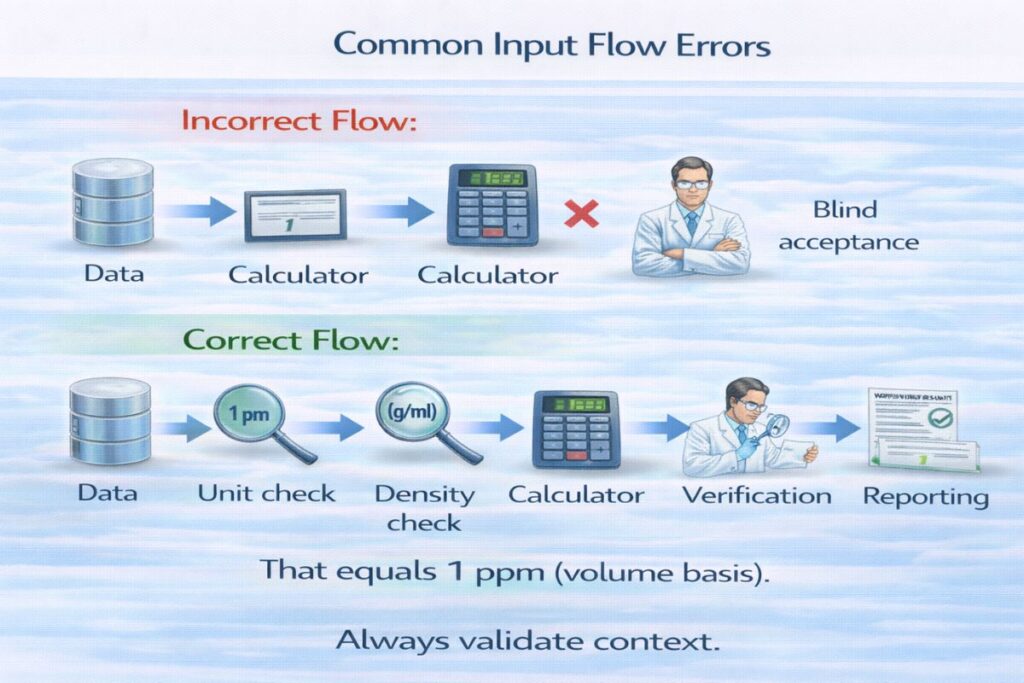
Advanced Tips for Accurate PPM Calculation
✔ Use consistent units
✔ Confirm basis (mass vs volume)
✔ Check temperature for gases
✔ Account for density
✔ Document assumptions
These practices ensure professional-grade results.
How ppmcalculation.com Simplifies the Process
Reliable digital tools eliminate guesswork.
Features of ppmcalculation.com
✔ Accurate ppm formula implementation
✔ PPM to mg/L converter
✔ Gas ppm conversion tools
✔ Dilution calculator
✔ Unit validation support
✔ Mobile-friendly interface
Whether you are a student, engineer, environmental scientist, or technician, ppmcalculation.com provides trusted concentration measurement resources.
Frequently Asked Questions (FAQs)
1. Is ppm always equal to mg/L?
Only for water-based solutions with density ≈1 kg/L.
2. Can I use ppm for gases?
Yes, but typically on a volume basis (ppm v/v).
3. Why does my ppm calculator give unexpected results?
Check unit consistency and density assumptions.
4. Do I need to correct for temperature?
For gas ppm conversions, yes.
5. What is the biggest beginner mistake?
Confusing grams and milligrams.
6. Are online ppm calculators accurate?
Yes, when formulas are correctly implemented—such as on ppmcalculation.com.
Mastering How to Use a PPM Calculator
Understanding how to use a PPM calculator correctly ensures precise, reliable, and compliant results across industries.
Key Takeaways
✔ Confirm measurement basis
✔ Use correct units
✔ Apply dilution factors
✔ Account for density
✔ Avoid premature rounding
✔ Verify output before reporting
PPM calculators are powerful tools—but only when used correctly.
Make every concentration calculation accurate and stress-free.
👉 Visit ppmcalculation.com today to access:
Related PPM Calculators
Explore more water quality and chemistry tools: